
Architecture
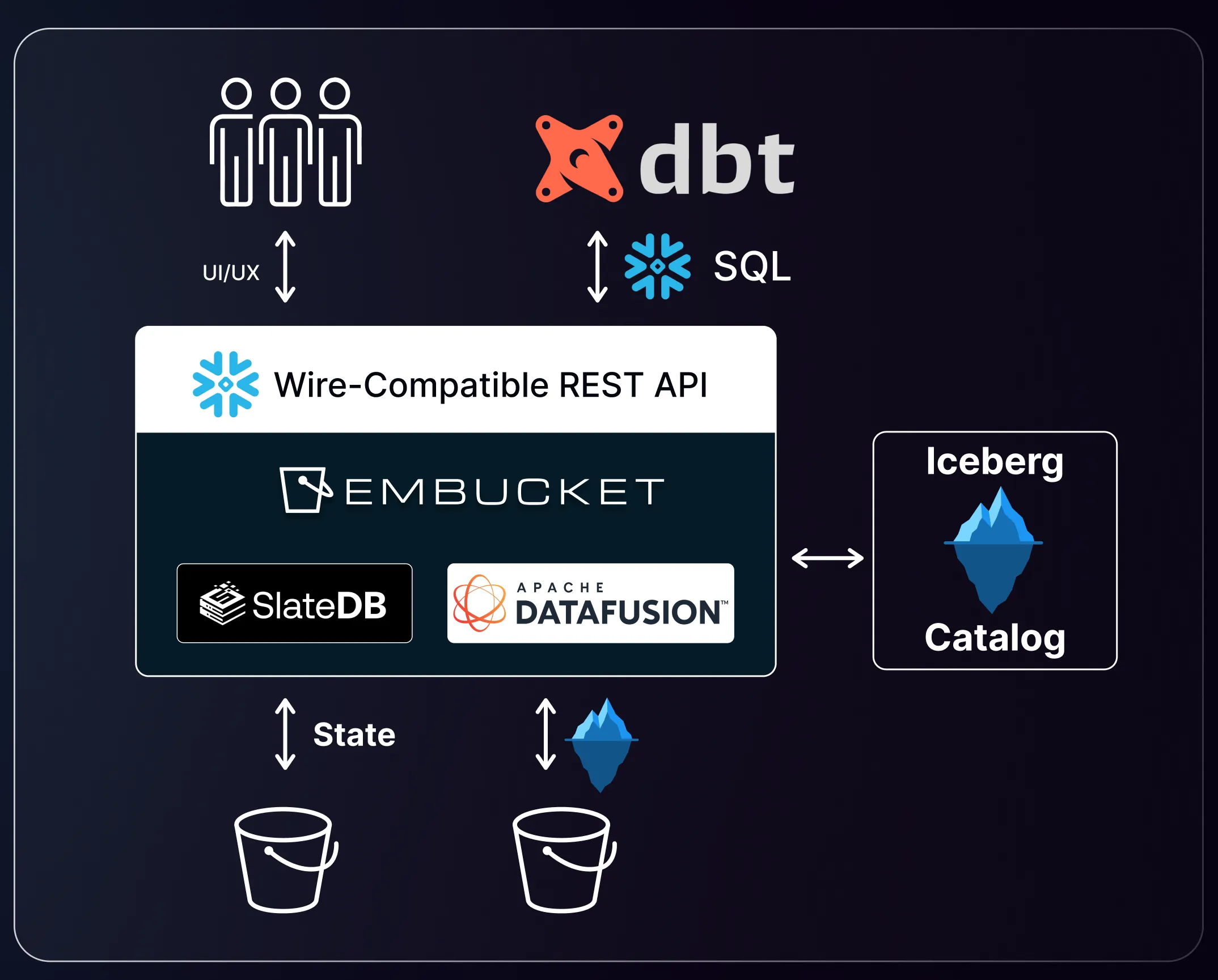
Embucket exposes a Snowflake-compatible API over lakehouse data. The system separates into five layers: runtime, metadata, storage, query execution, and authentication.
Runtime
Section titled “Runtime”Embucket runs as an AWS Lambda function (embucket-lambda) for production deployments. A local binary also ships through Docker for development and testing. Both entry points share the same Snowflake-compatible API router.
Metadata
Section titled “Metadata”Embucket loads metadata from a YAML metastore file or external catalogs. You can define metadata through three paths:
- YAML metastore config — Set the
METASTORE_CONFIGenvironment variable to point to a YAML file that declares volumes, databases, schemas, and tables. - AWS S3 Tables — Register an S3 Tables bucket as an external catalog. Each bucket maps to one database.
- External Iceberg tables — Define existing Iceberg table locations in the metastore YAML to mount tables stored in your own S3 buckets.
Storage
Section titled “Storage”Data stays in your object storage. Embucket reads and writes data through three components:
- Apache Iceberg metadata — Tracks table schemas, snapshots, and partitions.
- Parquet data files — Stores row data in a columnar format.
- AWS S3 or S3-compatible storage — Serves as the backing object store for both metadata and data files.
Query execution
Section titled “Query execution”Embucket executes Snowflake-compatible SQL through Apache DataFusion. Query execution runs single-node per request. Each invocation handles a complete query independently. The engine doesn’t distribute queries across nodes.
Authentication and sessions
Section titled “Authentication and sessions”Embucket provides a Snowflake-compatible HTTP surface with the following endpoints:
/session/v1/login-request— Authenticates a user and returns a JWT token./session— Manages session state./queries/v1/query-request— Submits a SQL query for execution./queries/v1/abort-request— Cancels a running query.
The default demo username and password both default to embucket. JWT tokens have a lifetime of 3 days. Sessions expire after 60 seconds of inactivity.